
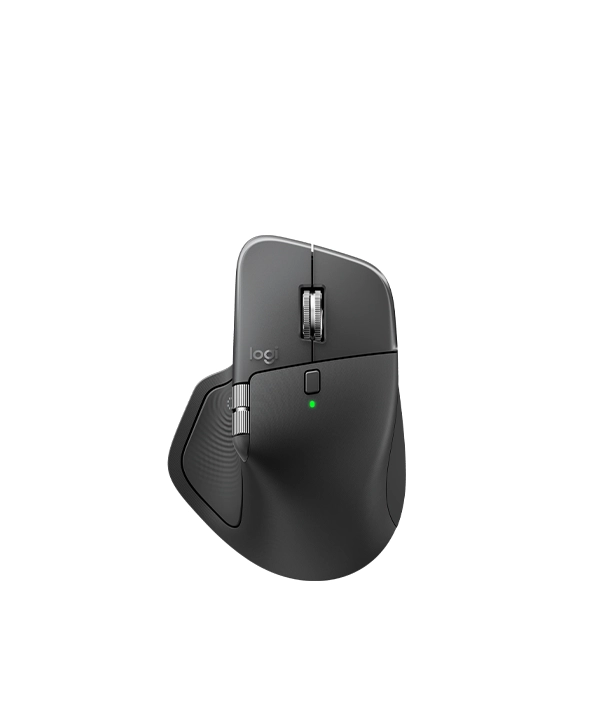
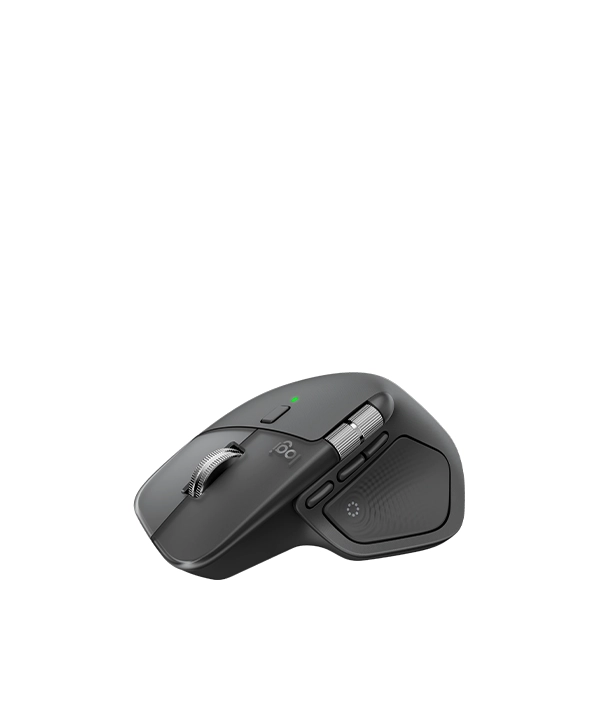
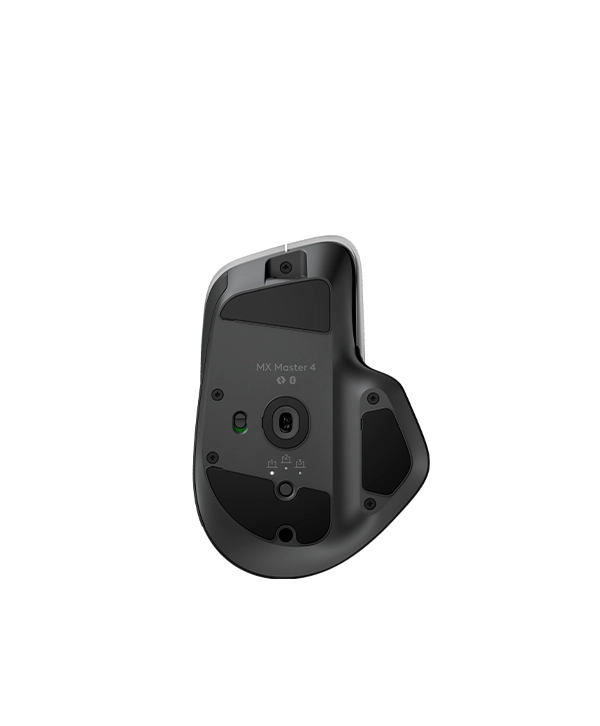
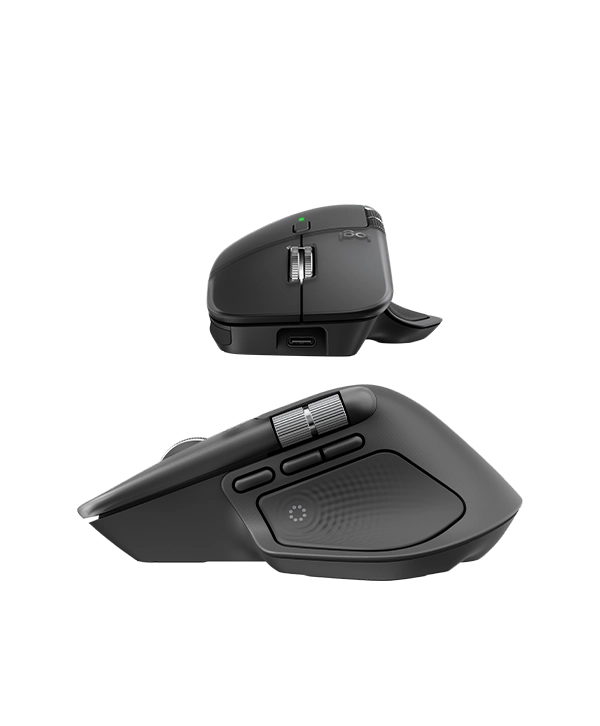
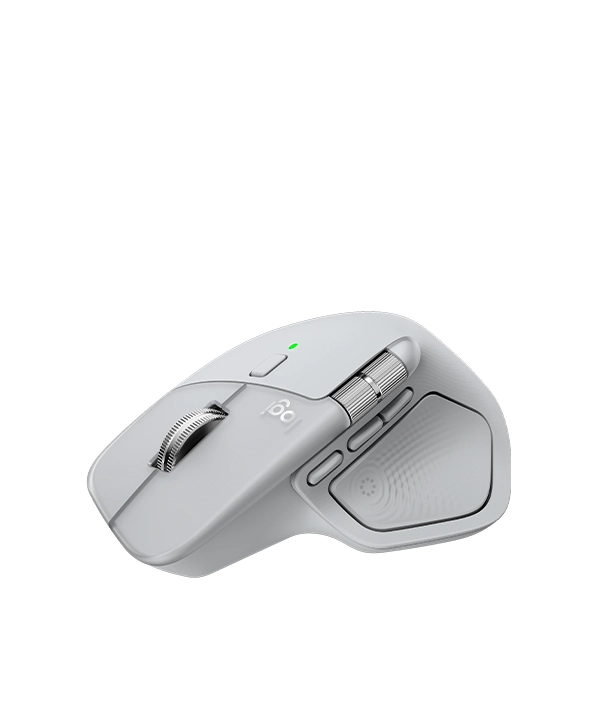
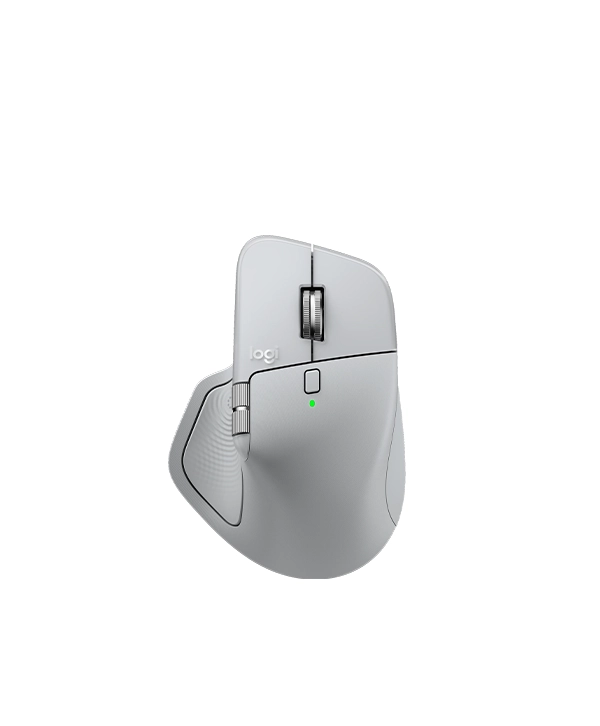
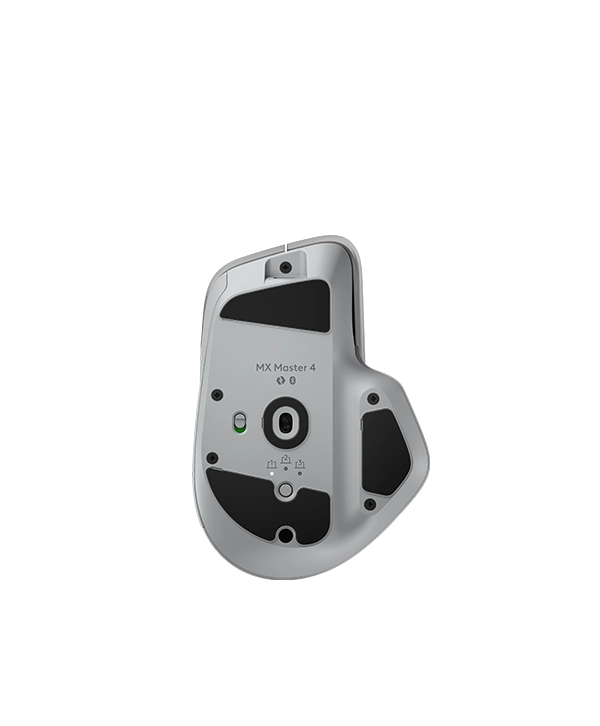
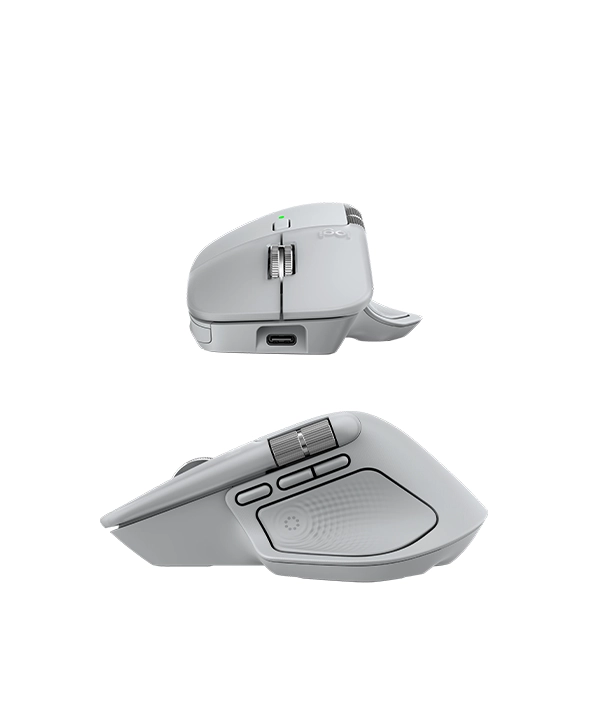

Logitech MX Master 4 Wireless Mouse
Price range: 16,900৳ through 17,900৳
MX Master 4
- Brand Logitech
- Connectivity Technology Bluetooth, Radio Frequency, USB
- Special Feature Lightweight, Programmable Buttons, Rechargeable, Soundless, Wireless
- Movement Detection Technology Optical
- Sensor Technology: Darkfield high precision
- Nominal value: 1000
- DPI (Minimal and maximal value): 200-8000 (can be set in increments of 50 DPI
- 1-month membership to the full Adobe Creative Cloud Pro suite.
Description
Logitech MX Master 4 PRICE IN BANGLADESH | MC SOLUTION BD
| Dimensions | MX Master 4 Mouse Height: 5.05 (128.15 mm) Width: 3.48 (88.35 mm) Depth: 2 (50.8 mm) Weight: 5.29 (150 g) |
| Technical Specifications | |
| General Specifications | Haptic feedback is supported for key Options+ features like Actions Ring, Smart Actions, Gestures and for the following plugins:: Adobe Photoshop, Adobe Lightroom Desktop, Zoom. Coming in October: Adobe Premiere Pro. |
| Sensors | Sensor Technology: Darkfield high precision Nominal value: 1000 DPI (Minimal and maximal value): 200-8000 (can be set in increments of 50 DPI |
| Buttons | Number of Buttons: 8 Scroll Wheel: Yes, MagSpeed wheel with smart shift Horizontal scroll: Yes Thumb wheel: Yes, same as horizontal scroll Gesture button: Yes Customization app: Yes, Options + and basic support in Tune |
| Battery & Charging | Battery type: Rechargeable 650 mAh Battery life: 70 days |
| Connectivity | Connection Type: Wireless Wireless technology: Bluetooth Low Energy Wireless range: 33-ft (10 m) Bluetooth Low Energy (BLE): 5.1 |
| System Requirements | Bluetooth: Required: Bluetooth Low Energy, Windows 11 or later*, macOS 13 or later*, Linux**, ChromeOS**, iPadOS 15 or later**, Android 12 or later**. (*Customize device by installing the Logi Options+ App available for recent versions of Windows and macOS at app.logi.com, **Device basic functions will be supported without software for other systems than Windows and macOS) Logi Bolt USB receiver: Required: USB-C Port, Windows 10, 11 or later*, macOS 13 or later*, Linux**, ChromeOS**. (*Customize device by installing the Logi Options+ App available for recent versions of Windows and macOS at app.logi.com, **Device basic functions will be supported without software for other systems than Windows and macOS) |
| Part Number | Graphite : 910-007558 Black : 910-007560 Pale Gray : 910-007559 |
MX Master 4 with haptic feedback. Designed for Sustainability
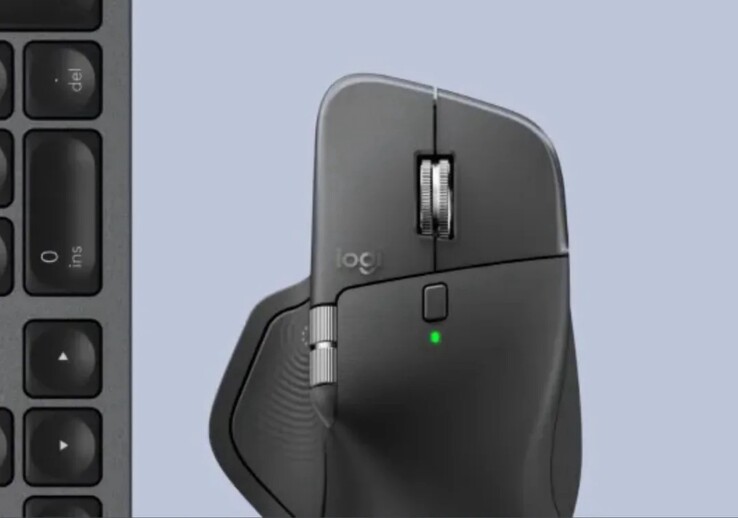
Logitech MX Master 4: First Picture of New Mouse Leaked Ahead of Imminent Launch
Introduction
If you’re a fan of premium productivity mice, chances are you’ve heard of the Logitech MX Master series. With its ergonomic design, precision controls, and multi-device connectivity, it’s become the go-to mouse for professionals, creatives, and multitaskers.
Now, nearly three years after the release of the MX Master 3S, the world got its first sneak peek at the upcoming Logitech MX Master 4 — and the excitement is real.
The Accidental Leak
An photograph of the MX Master 4 was unintentionally posted on Instagram by Logitech, but it was swiftly removed.. But the internet never forgets. A sharp-eyed Reddit user took a screenshot before the post vanished, giving the tech world its first look at the upcoming flagship mouse.
The image showed just enough to spark conversation: subtle design tweaks, a familiar silhouette, and a brand-new mystery button.
Certification Confirms Imminent Launch
It wasn’t just a photo that gave the game away. On May 9, Brazil’s Anatel (the National Telecommunications Agency) certified the new mouse under the model number MR0118. For those who follow tech launches, a government certification like this usually means the product is only weeks (if not days) from an official release.
Design Tweaks and First Impressions
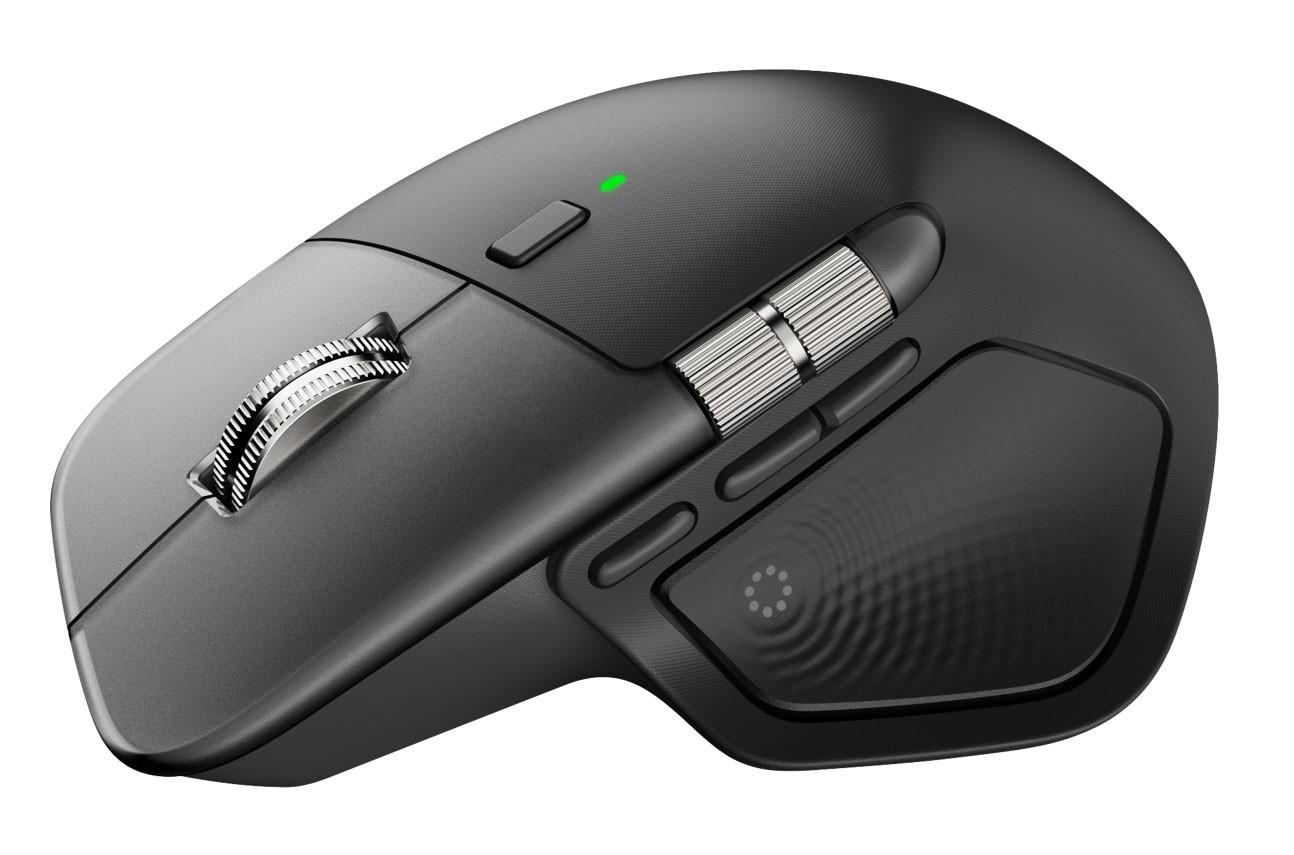
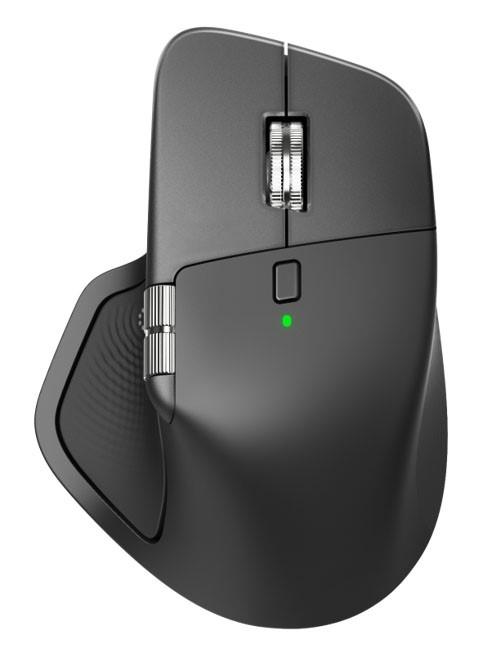
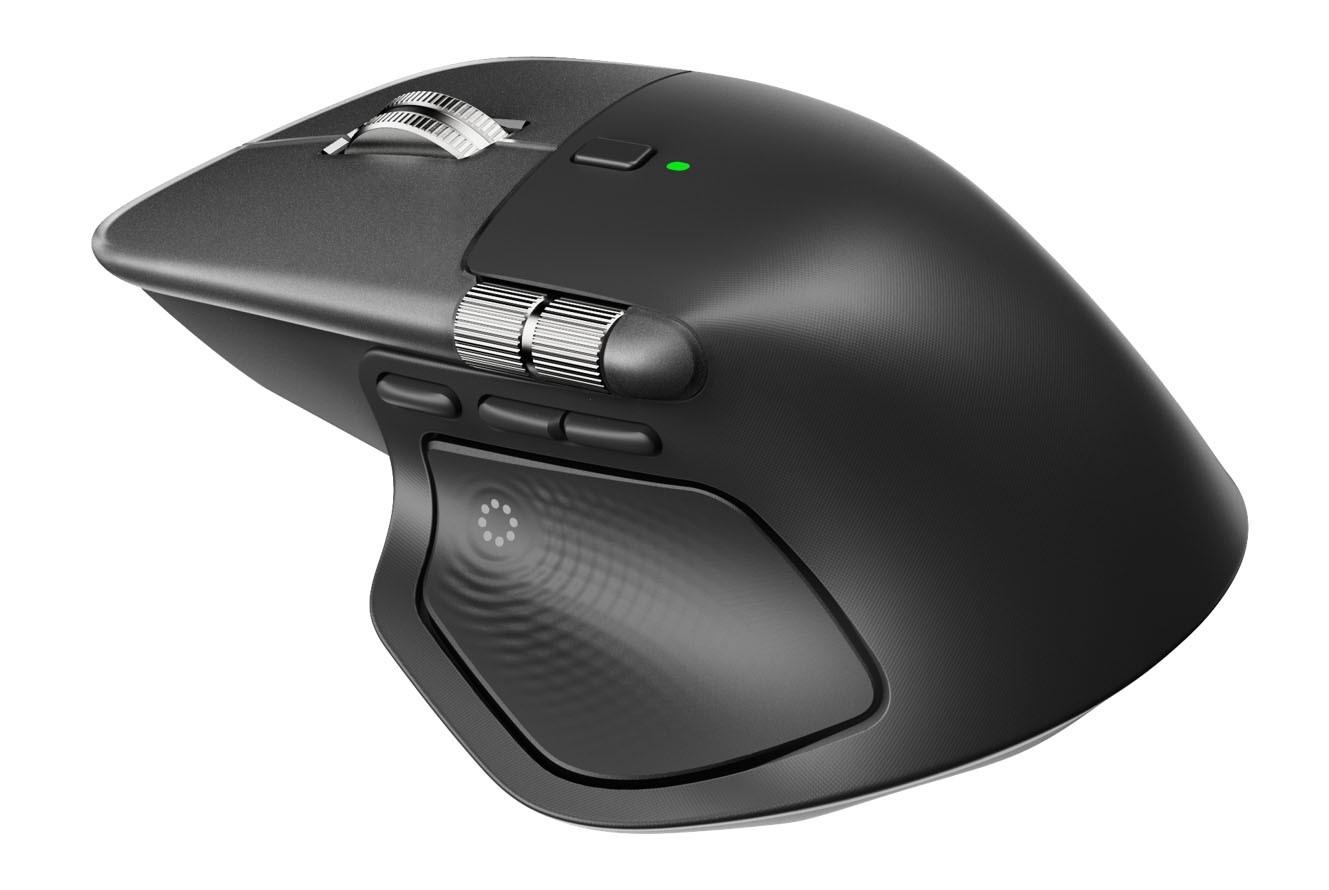
Let’s talk about that design. At first glance, the MX Master 4 sticks close to the tried-and-true formula that made the 3 and 3S hits. But a closer look reveals Logitech has made a few smart adjustments.
Thumb Scroll Wheel Gets a Shift
The thumb scroll wheel has been nudged slightly forward. It’s a small change, but one that might improve reach and usability during fast-paced workflows.
Bigger Main Buttons
The left and right click buttons have expanded slightly, taking up more space on the top surface. This likely means better tactile feedback and a more comfortable click feel — especially during long work sessions.
Thumb Rest Gets a Texture Upgrade
The thumb rest appears to have a revised texture and possibly a better grip surface. This is great news for users who spend hours using their mouse and want to avoid sweaty palms or slipping.
Added Side Button Mystery
One of the biggest surprises? An additional third button on the mouse’s side. Nobody knows for sure what it does yet, but speculation is flying.
Could this be an AI shortcut button? Maybe a smart action trigger? Logitech hasn’t said anything, but based on current tech trends, it’s highly likely this new addition will have customizable features — perhaps even AI-powered integrations with apps like ChatGPT or Microsoft Copilot.
What’s Missing? Technical Specs Still in the Dark
While we’ve seen the shell of the MX Master 4, Logitech hasn’t spilled the beans on what’s inside. No specs have been officially released — yet. But based on feedback from the 3S, here’s what users are hoping for.
What Should Be Improved in MX Master 3S vs. MX Master 4?
Let’s face it, the MX Master 3S was great, but far from perfect. The MX Master 4 has a real opportunity to step things up.
Polling Rate & Performance
One major complaint? The 125Hz polling rate via Bluetooth and even the USB dongle. On high-refresh-rate monitors, this can make the mouse feel sluggish. A jump to 500Hz or even 1000Hz would be a game-changer for smoother tracking and faster response.
Sensor Expectations
The Darkfield laser sensor on the 3S could track on nearly any surface — even glass — but it was capped at 8000 DPI. For power users and creative professionals who need precision at high speeds, a boost to 12,000 DPI or higher would be welcomed.
Weight & Portability
While that gives it a premium feel, it’s overkill for some users. A lighter frame — maybe with optional weights — could cater to a broader audience.
USB Dongle Storage — A Must-Have
This seems small but makes a big difference: storing the USB dongle inside the mouse. It’s a basic feature many mice already include, and it makes the mouse more travel-friendly. Hopefully, Logitech adds it this time around.
Fresh Images from the EUIPO
Additional renders from the European Union Intellectual Property Office (EUIPO) show even more design details. A new cutout design highlights the programmable button area. Plus, the battery/charging LED has been moved directly under the scroll wheel — making it easier to track power at a glance.
Materials and Build Quality
One recurring complaint about the MX Master 3S? The plastic finish didn’t feel as premium as it should for a $100+ device. If Logitech wants to win over critics, the MX Master 4 needs more durable materials — perhaps rubberized grips or a metallic finish.
Market Competition & Alternatives
While Logitech has long dominated the productivity mouse space, competitors like Razer, Microsoft, and 3Dconnexion are hot on their heels. The MX Master 4 must offer something new and meaningful — not just cosmetic tweaks — to stay ahead.
What to Expect at Launch
So when can we expect to get our hands on the MX Master 4?
Many industry insiders anticipate a summer 2025 release because to the Brazilian certification and unintentional disclosures.The price is expected to be around $119–$129, keeping it in line with its predecessor. Of course, we also expect full support for macOS, Windows, and multi-device switching.
Final Thoughts
The Logitech MX Master 4 is shaping up to be a worthy successor to the 3S — even if it’s more of an evolution than a revolution. With small but meaningful design tweaks, a mysterious new button, and the promise of improved specs, Logitech seems ready to once again raise the bar for productivity mice.
We’ll be keeping a close eye on the official launch — and here’s hoping Logitech delivers on the features users really want.
FAQs
Q1. When will the Logitech MX Master 4 be available for purchase?
A: While not officially announced, the MX Master 4 is expected to launch in mid-to-late 2025, following its certification in Brazil and leaked images online.Q2. What distinguishes the MX Master 4 from the MX Master 3S?
A: The MX Master 4 offers a redesigned thumb wheel, larger main buttons, an added side button, and potential improvements in build quality and performance.Q3. Will the MX Master 4 support macOS and Windows?
A: Yes, like previous models, the MX Master 4 is expected to support macOS, Windows, and multi-device switching, making it ideal for hybrid workflows.Q4. How much will the MX Master 4 cost?
A: Early price estimates suggest it will be around $119 to $129, in line with the pricing of the MX Master 3S.Q5. Is the Logitech MX Master 4 good for gaming?
A: While it’s designed for productivity, an improved polling rate and sensor could make it suitable for casual gaming — though it’s not a dedicated gaming mouse.











Reviews
There are no reviews yet.