


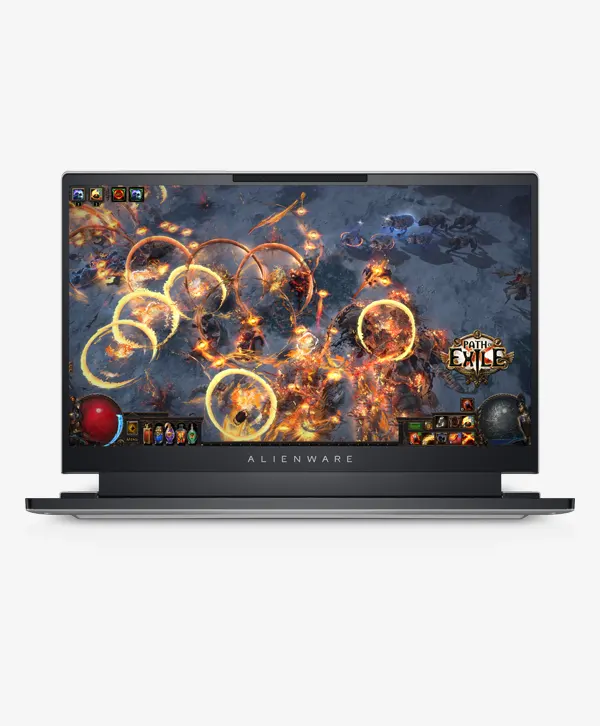
Dell Alienware X14 2022 12th Gen Intel Core i7-12700H 14″FHD 144Hz 16 GB Ram 512GB SSD RTX 3060 6GB
Original price was: 265,900৳ .249,800৳ Current price is: 249,800৳ .
- 12th Gen Intel Core i7-12700H Processor
- 14″, FHD 1920×1080, 144Hz, Non-Touch, 3ms,
- Advanced Optimus, CV+, NVIDIA G-SYNC
- 16 GB DDR5 4800 MHz Memory
- 512 GB M.2 NVMe SSD
- NVIDIA GeForce RTX 3060 6GB
- Windows 11 Home
- 1 Year Dell International Warranty
Out of stock
Description
Dell Alienware X14 Price in Bangladesh 2022
Tech Specs
| PRODUCT NAME | Dell ALIENWARE X14 2022 Model |
|---|---|
| Processor |
|
| Display |
|
| Graphics | NVIDIA® GeForce RTX™ 3060 6GB GDDR6 |
| Storage | 512 GB M.2 PCIe NVMe, SSD |
| Memory | 16 GB LPDDR5 4800 MHz(integrated) |
| Keyboard |
|
| Ports/Slots |
|
| Connectivity |
|
| Case & Color | Lunar Light |
| Slots | 1 microSD-card slot |
| Security Software | No Anti-virus Requested |
| Camera |
|
| Battery |
|
| Color Options | Lunar light |
| Chassis |
|
| Touchpad |
|
| Weight |
|
| Dimensions |
|
| Operation System | Windows 11 Home |
| Warranty | 01 Year Dell International Warranty |
This Alienware x14 is it. It manages to pack the Intel Core i7-12700H as well as RTX 3060 inside a frame that is only slightly thicker than a Dell XPS 13 from 2020. I’m guessing a bag of holding might be involved. But is the magic extended to performance? Or does Alienware be unable to replenish its mana?
Alienware x14 specifications and features
The Alienware x14’s comes with only a few configuration options. You can select one of the following: Intel Core I5-12500H, or an i7-12700H processor and any of three Nvidia GPUs including the RTX 3050 3500 Ti, 3050 Ti, and 3060. Storage capacity can be up to 4TB and RAM up to 32GB.
- CPU: Intel Core i7-12700H
- Memory: 32GB
- Graphics/GPU: Nvidia RTX 3060
- Display: 14-inch 1080p 144Hz IPS LCD
- Storage: 1TB SSD
- Webcam: 720p
- Connectivity: 2x USB-C USB4/Thunderbolt 4, 1x USB-C USB 3.2 Gen 1, 1x USB-A USB 3.2 Gen 1, 1x HDMI 2.1, 1x MicroSD card reader, 3.5mm audio jack
- Networking: Wi-Fi 6E, Bluetooth 5.2
- Biometrics: IR camera, Windows Hello compatible
- Battery capacity is 80 watt-hours.
- Dimensions 12.65 inches by 10.34 inches x .57
- Weight: 4.06 pounds
Quality of design and construction
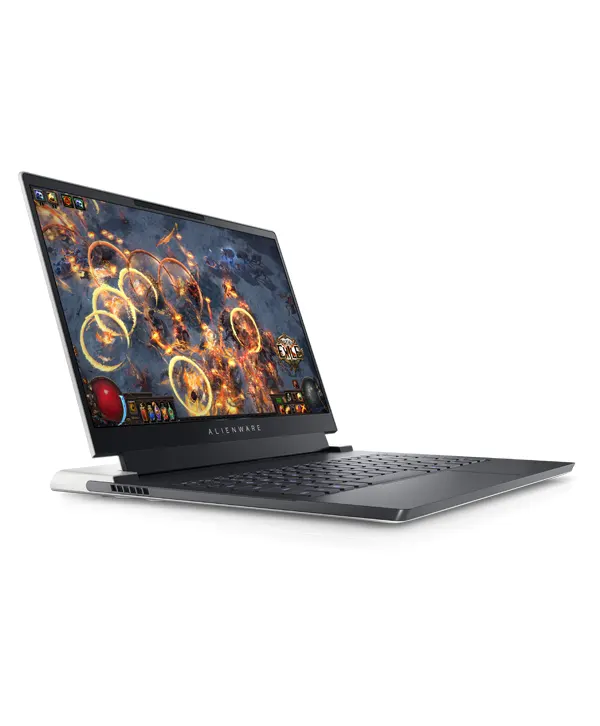
The Alienware x14 is a stunner. It embodies the unique Alienware Legend design language in the form of a slim, tight style. Every aspect of the machine is thoughtfully thought-out. The x14 isn’t cluttered with weird warts or abrupt angles that ruin rival machines like Acer and Asus however, it doesn’t look bland. It’s perhaps the most appealing gaming laptop design available on the market currently.
The chassis is constructed not only of aluminum and plastic but also of stainless steel as well as magnesium alloy. Magnesium is a metal frequently utilized in Lenovo’s ThinkPad line to give it a strong and stable feel and lightweight. It gives a distinctive “grippy” feel that’s unlike the aluminum laptop. It’s a little odd, chalky even but it also has the benefit of making the laptop simple to move around and take with you.
I noticed some flex on the display’s lid. This is one of the areas which doesn’t match the overall feel of the x14. But, the build quality is excellent with precise panel tolerances and no misaligned or misaligned parts. The laptop’s lower part is resistant to the flex of the edge or corner.
The Alienware x14 is extremely thin. It is .57 inches thick, which is only tiny fractions of an inch thinner than Dell’s previous XPS 13. The x14 is significantly slimmer that its predecessor, which is the Razer Blade 14 and Asus ROG Zephyrus G14. It weighs around 4 pounds. This is above the average for gaming laptops.
Keyboard and trackpad
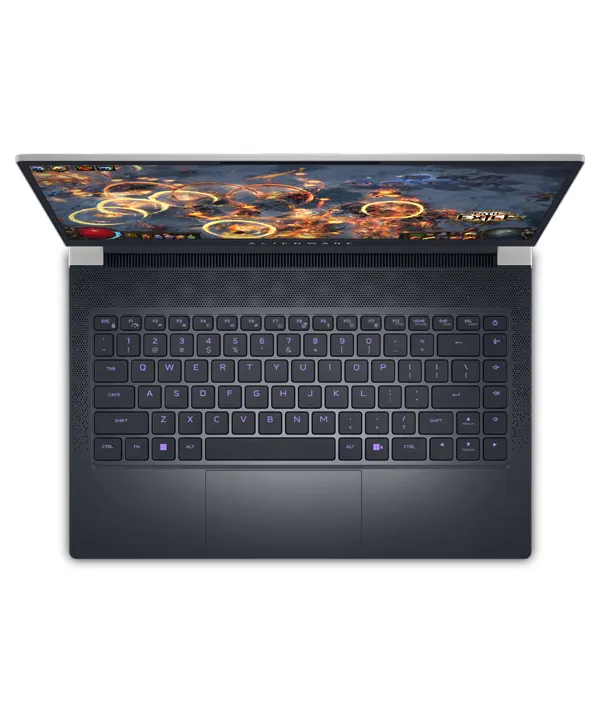
The idea of making a gaming laptop as slim as Alienware’s x14 creates a tiny vertical space within. The laptop has to accommodate a key switch that only has 1.2 millimeters of movement, which although not terrible, is less than many gaming laptops. It’s a quick snappy key action that is capped off by an icy, clicky feel. It’s fun to use but started to become exhausted after long hours of using the laptop.
The keyboard on the x14 is pulled forward through the speakers and the cool vents that are situated behind it, as well as the hinge for the display. This leaves little room on the handrest which happens to be less slender than normal. My normal typing position leaves my lower palms hanging awkwardly on the edge of my laptop. Typing can be uncomfortable, particularly for those with big hands.
The ability to customize the RGB lighting for your keyboard is provided but it’s only one area, which restricts the choices. The backlights are bright, and the majority of the keys appear to be equally lit. There’s a tiny amount of lighting leak at the edges of every key.
The quality of the touchpad is affected due to this design decision also. It’s 4 inches wide, but only two inches in depth which leaves little room to move vertically across the touchscreen and using Windows multi-touch gestures. The touchpad is responsive at the very least and doesn’t detect inputs that aren’t intended.
Display, audio
Each Alienware x14 features the exact same display: 1080p, 144Hz non-touch IPS LCD display. It has Nvidia G-Sync as well as Advanced Optimus, so it is able to switch to Intel-integrated graphics to save energy when the GPU’s grunt doesn’t need to be used.
A typical 1080p IPS display isn’t exactly exciting for 2022 However, the x14’s display is about as excellent as it gets in terms of technology. It’s got extremely accurate color, an enormous color spectrum, bright up to 400 nits, as well as an anti-glare coating. The display is excellent it is able to be used to edit videos or photos which makes the x14 a decent option for content creators who are who require a mobile and portable workstation.
The cramming of 1080p onto a 14-inch gives you an average pixel density of the equivalent of 158 pixels to an inch. It’s only one or two pixels less than the 4K 27-inch screen. Games appear crisp and sharp with superb texture and sharp edges for polygons. The only drawback is the display’s poor contrast, which robs off the dark scene’s depth. However, the x14 is able to fare better than LCD displays.
The audio quality isn’t quite so impressive. The speakers deliver crisp audio that doesn’t get muffled, however, there’s a significant absence of bass. Music with a lot of basses could seem a bit sluggish and distant.
Webcam, microphone, biometrics
Audio recording is performed by a dual-array microphone. It is able to capture acceptable audio quality, however, recording is always duller and more unfocused than the stand-alone microphone. Background noise that is low-volume is generally blocked out, however, loud or sharp noise can be heard.
An IR camera is built-in and it allows Windows Hello facial recognition login. This is an excellent feature that isn’t often seen on laptops that are gaming. It’s the fastest and the most secure choice for biometric login.
Connectivity
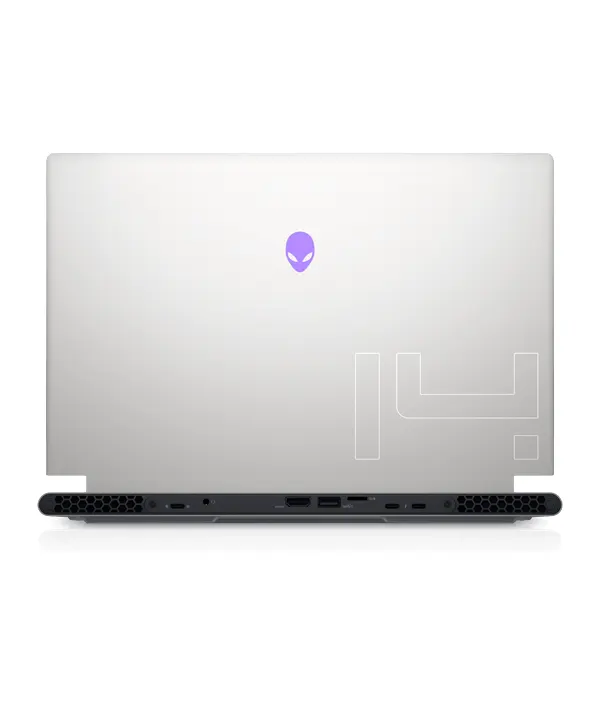
Although it is thin although it isn’t, it isn’t bulky. Alienware x14 offers excellent physical connectivity. It has two USB-C ports, which support Thunderbolt 4, USB4, and DisplayPort, and a capacity of up to 15W of power delivery. A third USB-C port can support USB 3.2 Gen 2 DisplayPort as well as the power of up to 15W of power delivery.
The video output is handled by USB-C ports or one HDMI 2.1 output. It’s nice to know HDMI 2.1 is also available because it allows you to maximize the use of an HDMI 2.1 display or HDTV.
There are other options, including the USB-A 3.2 Gen 1 port, as well as the MicroSD card reader. The absence of USB-A ports is an issue, as most gaming PCs are compatible with USB-A. I needed the USB-C hub in order for connecting my Flight Stick to Microsoft Flight Simulator.
An Ethernet port is not available neither is an Ethernet port, but an actual Ethernet connection is possible with the USB-C adapter or a USB-C hub.
The absence of Ethernet is partly a result of the excellent Wi-Fi capabilities of the x14. It has Wi-Fi 6E, which can, in short distances, can provide speeds that exceed Gigabit Ethernet. You’ll require a top-quality Wi-Fi router to benefit from this feature, but. Bluetooth 5.2 is also accessible.











Reviews
There are no reviews yet.